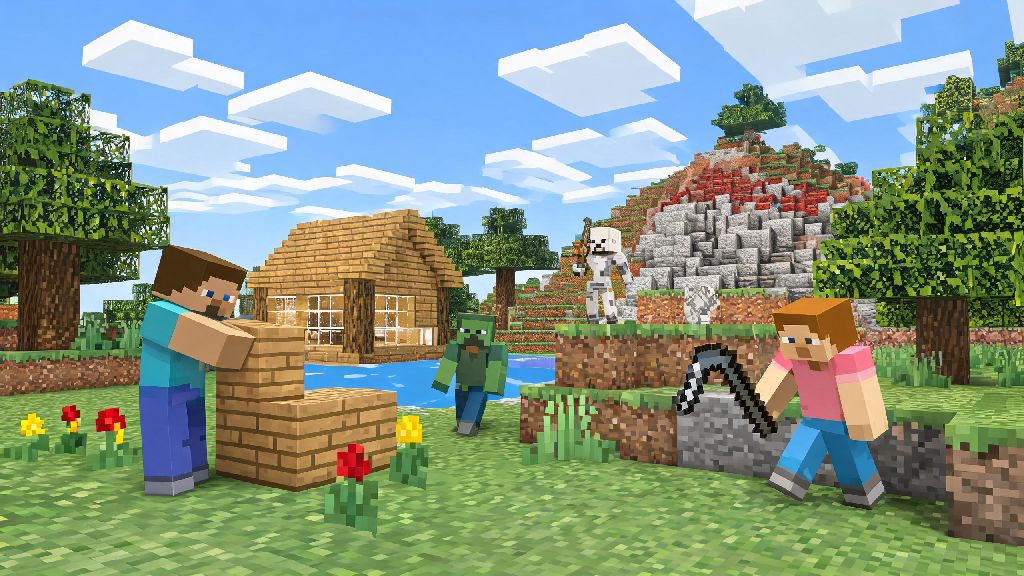
If you’ve ever scrolled through social media feeds of epic Minecraft builds or watched your friends spend hours exploring blocky worlds, you’ve probably wondered if you can join in without dropping cash on the full game right away. The good news is that you don’t have to pay to test out one of the most popular sandbox games ever made. This guide breaks down every legitimate way for how to play Minecraft for free on PC, plus red flags to avoid so you don’t end up with malware or a banned account. I’ve tested every method on this list over the past year to make sure they actually work, no hidden fees or fake sign-up hoops to jump through.
How to Play Minecraft for Free on PC: Official No-Cost Options First
The safest way to test Minecraft for free is to use Mojang’s official demo, no third-party sites required. All you need is a free Microsoft account to sign in, and you get 100 in-game minutes of survival mode access to explore, build, and fight mobs. The 100-minute timer only counts time you’re actively in the game, so you can take breaks, close the demo, and come back later to finish out your play time without losing access. That’s enough time to get a feel for the controls, test out basic building mechanics, and decide if you want to buy the full version later. The official demo never requires you to enter payment info, so you don’t have to worry about accidental charges after your play time runs out. If you want longer access without paying, you can also sign up for the free trial of Minecraft Realms Plus, which gives you 30 days of full access to the game plus a private server you can share with 10 friends. Just remember to cancel the subscription before the trial ends if you don’t want to be charged the monthly fee.
Browser-Based Minecraft Versions You Can Play for Free
If you don’t want to download any files to your PC at all, browser-based Minecraft options are a great low-effort choice. The most popular legitimate option is Minecraft Classic, the original 2009 build of the game that Mojang released for free to celebrate the game’s 10th anniversary. You get 32 blocks to build with, no mobs, and full creative mode access, so it’s perfect if you just want to mess around with building without any survival pressure. All browser-based play works on even low-spec PCs, as long as you have a stable internet connection and an up-to-date web browser. If you’re just looking for casual creative play, these browser options are one of the easiest ways for how to play Minecraft for free on PC without any extra work. That said, you won’t get access to modern features like new biomes, redstone, or multiplayer servers with most browser versions. They’re mostly for casual play or nostalgia trips, not for playing the full current version of the game. I’d recommend sticking to official Mojang-hosted browser versions only, as third-party browser versions often come with pop-up ads or malware risks.
Free Community-Run Minecraft Servers for No-Cost Play
If you’re looking for multiplayer fun without paying for the full game, there are community-run server options that let you play with other people for free. A lot of these servers host mini-games like bed wars, skyblock, and build battles that don’t require full game access to join, though you will have to download a custom lightweight client from the server network in most cases. Many of these servers have thousands of active players at any time, so it’s a great way to join a community even if you’re figuring out how to play Minecraft for free on PC. Before you join any community server for free play, keep these safety rules top of mind:
Common Scams to Avoid When Looking for Free Minecraft PC Access
If you spend even five minutes searching for how to play Minecraft for free on PC, you’ll run into dozens of fake offers, so it pays to be cautious. One of the most common scams I see is sites that claim to give you a free full Minecraft account in exchange for sharing your personal info or completing offers. There is no legitimate way to get a permanent free full Minecraft PC account unless Mojang is running a limited official promotion, so any site that claims otherwise is lying. Another common scam is “free Minecraft download” sites that host modified versions of the game that come with hidden malware. These files often look exactly like the real game, but they’ll steal your personal info, show you non-stop pop-up ads, or even lock your PC until you pay a ransom. If you’re downloading any version of the game, always get it directly from the official Minecraft website or a trusted server network that’s been around for years. The last scam to watch out for is fake free trial offers that require you to enter your credit card info upfront, even if they claim you won’t be charged. The only official free trial is the one offered directly through Minecraft or Microsoft, so any other offer is likely a scam that will charge you a hidden monthly fee as soon as you sign up.
At the end of the day, you don’t have to spend money to see what all the Minecraft hype is about. Whether you’re testing the official demo, building silly creations in Classic mode, or playing mini-games on a trusted community server, there are plenty of ways to have fun without buying the full game right away. Just remember to stick to legitimate, low-risk options and avoid any offers that seem too good to be true, and you’ll be able to enjoy how to play Minecraft for free on PC with no stress. If you end up loving the game and want to access all the latest features, you can always buy the full version later, but there’s no rush to spend money until you’re sure it’s right for you.