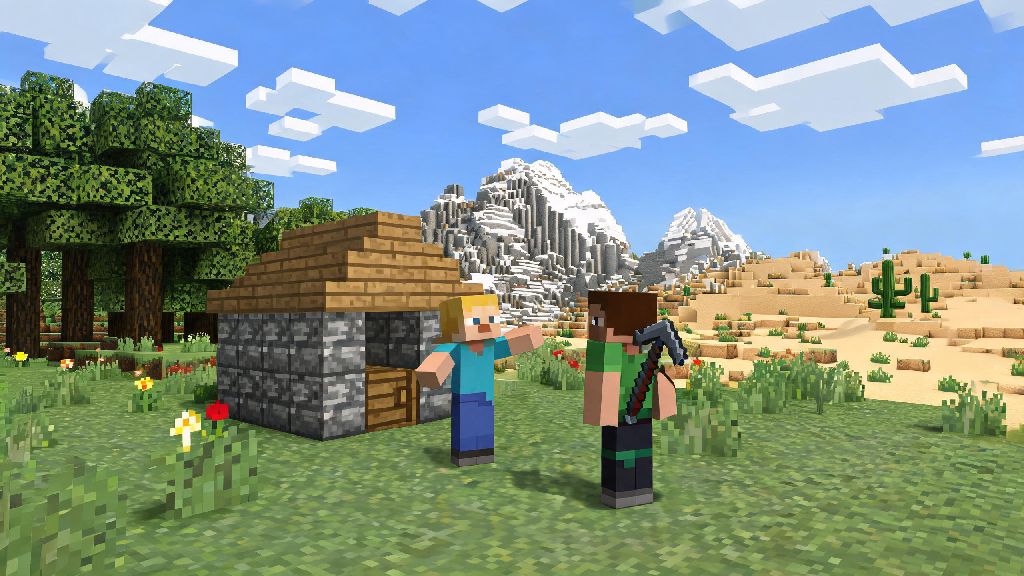
If you’ve ever finished building a tiny cobblestone hut on your first survival night and wished you had someone to show it off to, you’ve probably asked is Minecraft two player. The short answer is yes, but the way you set up co-op play depends heavily on what platform you’re using, whether you’re playing in the same room or across the country, and what version of the game you own. I’ve spent years testing co-op setups for everything from casual creative build sessions to hardcore survival runs with friends, so I’ll break down exactly what works, what doesn’t, and how to avoid the most common frustrations that pop up when you’re trying to play with others.
Is Minecraft Two Player for All Game Versions? Let’s Break It Down
First, you need to know which edition of Minecraft you’re running, because that dictates all your co-op options. The two main editions are Java and Bedrock, and they don’t work with each other for cross-play, so you and your friend will need to be on the same edition to play together. If you’re asking is Minecraft two player for cross-platform pairs, the answer depends on the version you own.
Java Edition is the original PC version of the game, available only on Windows, Mac, and Linux devices. It doesn’t support split-screen play at all, but it works perfectly for two player online or LAN sessions. You can also add mods to your two player game if you’re using Java, which opens up a ton of custom game modes and features you won’t find on Bedrock. I’ve had friends assume Java doesn’t support two player at all, which is a super common misconception that stops people from trying co-op with their PC-owning friends.
Bedrock Edition is the version you’ll find on consoles, mobile devices, and Windows 10/11 PCs. It has far more native co-op features, including split-screen local play, and it supports cross-play across all Bedrock platforms. That means a player on PlayStation can play with a friend on their phone, or a Nintendo Switch user can join a world hosted on an Xbox, as long as everyone is on Bedrock. It’s the best option if you and your friend play on different devices and don’t want to deal with extra setup steps.
Easy Ways to Set Up Two Player Minecraft Sessions
You don’t need fancy tech or expensive subscriptions to get a two player game going, most methods take less than 5 minutes to set up. Before you start, make sure you both know what version of the game you’re running, because that will determine which setup options work for your is Minecraft two player session. Here are the most reliable methods I’ve tested over the years:
I always recommend LAN play if you’re in the same house, since it doesn’t require a subscription or extra cost, and you don’t have to worry about internet outages ruining your playthrough. If you’re playing long distance, realms are worth the small monthly fee if you play regularly, since you won’t have to spend hours troubleshooting server settings just to play for an hour.
Common Two Player Minecraft Issues and How to Fix Them
Even if you follow all the setup steps perfectly, you might run into a few small issues when trying to start your session. Most of these problems pop up because people don’t check their settings first, but they’re all easy to fix, so you don’t have to give up on your is Minecraft two player plans over a small technical issue.
“My friend can’t see my LAN world” is the most common issue I hear about, and it’s almost always a firewall problem. Make sure both devices have Minecraft allowed through their firewall settings, and that you’re both on the exact same version of the game. If you’re on Java, double check that you don’t have any mods or resource packs installed that the other player doesn’t have, because that will block them from joining too. I’ve run into this issue myself when I forgot I installed a mod for a single player playthrough, and it took me 15 minutes to figure out why my friend couldn’t join.
“Split screen isn’t working on my console” usually happens if your TV or monitor is set to a resolution lower than 720p. Go to your console display settings and bump the resolution up, and the split screen option will unlock automatically. I ran into this last year when I tried to play on an old 480p TV I had in my garage, and I spent 20 minutes messing with controller settings before I realized the resolution was the problem.
“We keep getting kicked for version mismatch” is another common issue, especially if one of you plays Minecraft regularly and the other only logs on once every few months. Make sure both players have updated their game to the latest release. If one of you is playing on a snapshot or beta version, you won’t be able to join each other’s worlds unless you both switch to the same version. On most platforms, you can roll back to older versions of the game if you don’t want to update your single player worlds yet.
Fun Two Player Minecraft Game Modes to Try
Once you have your session set up, you don’t have to stick to regular survival if you don’t want to. There are endless ways to customize your is Minecraft two player experience, so you can mix things up every time you play. Here are some of my go-to game modes for two player sessions:
Co-op hardcore survival is by far my favorite two player mode. Both players share a single life, so if one dies, the world gets deleted automatically. It’s way more intense than regular survival, and it forces you to work together instead of running off to do your own thing. I did this with my roommate last year, and we lasted 37 in-game days before we both got ambushed by a group of creepers while mining for diamonds. It was frustrating, but we still talk about that run months later.
Creative build challenges are perfect if you don’t feel like fighting mobs or gathering resources. Pick a theme like “underwater base” or “medieval village” and see what you can build together in a 1 hour time limit. You can even add silly rules, like you can only use blocks of one color for the first 20 minutes, or you can’t use any wood blocks at all. I’ve done this with friends for hours, and we’ve ended up with some really weird, fun builds that I never would have made on my own.
Custom adventure maps are another great option for two player play. There are thousands of free adventure maps online made specifically for two players, with puzzles, combat, and story beats designed for two people to solve together. They’re perfect if you’re bored of regular survival and want a more structured playthrough. Some maps even have voice acting and custom soundtracks, so it feels like you’re playing a completely separate game inside Minecraft.
At the end of the day, the answer to is Minecraft two player is a resounding yes, and there are options for every setup, whether you’re playing on the couch with a friend or connecting with someone across the world. You don’t need to spend extra money if you don’t want to, and most setup issues are easy to fix once you know what to look for. The best part of Minecraft is being able to share the worlds you build with other people, and two player sessions are the perfect way to do that without the chaos of large public servers. Next time you log on, grab a friend and try one of the setups we talked about — you might be surprised how much more fun the game is with a partner.