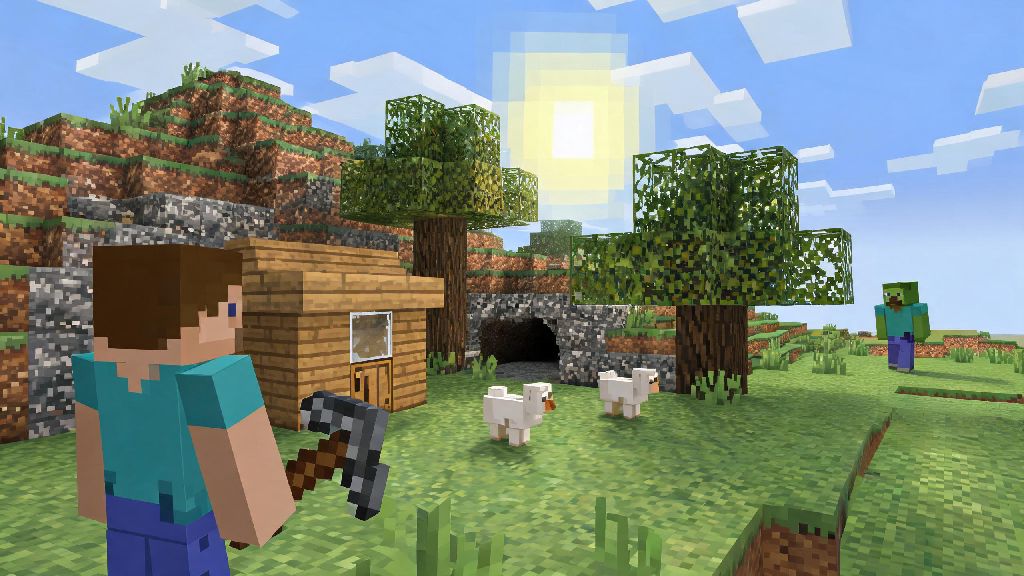
If you’ve ever scrolled through old Minecraft gameplay clips and felt a rush of nostalgia for the simpler, jankier days of the game, you’ve probably thought about how to play beta 1.7.3 Minecraft. This 2011 version is widely considered one of the most beloved classic builds, with stripped-back mechanics, no overwhelming new biomes or mobs, and the iconic, cozy feel that made Minecraft a global phenomenon in its early years. I’ve been playing this version on and off for over a decade, and I still come back to it when I’m tired of the complex update cycles of modern Minecraft. It’s perfect for casual play, long survival worlds, or even messing around with friends on dedicated servers.
How to Play Beta 1.7.3 Minecraft Using the Official Launcher
The easiest and safest way to access this old version is through the official Minecraft launcher, no sketchy third-party downloads required. You don’t need a separate account or special mod to run it, as long as you own a legitimate copy of the Java Edition. First, open your launcher and head to the “Installations” tab at the top of the screen. Make sure the “Historical Versions” box is checked, otherwise you won’t see beta builds show up in the list. Always use the official launcher for beta versions to avoid malware or corrupted save files—third-party download sites often bundle unwanted software with old game builds, and you risk losing any worlds you create if the file is faulty. Once you find Beta 1.7.3 in the list, click install, wait for the small file to download, and you can launch it directly from your installations tab whenever you want. Keep in mind that this version doesn’t support modern skin formats, so your custom skin might not show up correctly unless you use a legacy skin file designed for pre-1.8 builds.
Key Gameplay Differences You Need to Know Before You Start
Beta 1.7.3 is nothing like modern Minecraft, so don’t go in expecting the same mechanics you’re used to from recent updates. There’s no sprinting, no hunger bar, no End dimension, and none of the mobs added after 2011 like Warden, Axolotls, or even Endermen. If you’ve only ever played modern Minecraft, the slower pace of beta 1.7.3 Minecraft might feel odd at first, but most players get used to it after an hour or two of play. The only hostile mobs you’ll run into are Creepers, Zombies, Skeletons, Spiders, and Cave Spiders, so you don’t have to worry about random enderman griefing while you’re building your first base. Health regenerates automatically over time as long as you’re not taking damage, so you don’t have to carry stacks of food with you every time you go mining. That means you can spend more time gathering resources and building, and less time farming to keep your hunger bar full. The world generation is also much simpler: biomes are larger, there are no deep darks or lush caves, and terrain is often more dramatic and rolling than modern Minecraft worlds. Many players prefer this old generation because it feels more unpredictable and fun to explore, without all the extra biome clutter that bogs down modern playthroughs. Also, note that there’s no creative mode fly speed boost, so moving around large builds takes a little longer than you might be used to.
Common Fixes for Beta 1.7.3 Bugs and Performance Issues
As an old, unsupported build, Beta 1.7.3 has its fair share of bugs and performance problems, especially if you’re running it on a modern operating system. The most common issue is screen tearing or low frame rate, which is easy to fix with a few small adjustments. First, make sure you allocate at least 2GB of RAM to the installation in the launcher settings—old versions of Minecraft don’t need much, but modern systems often give them too little RAM by default, leading to lag. You can also install the OptiFine mod built for Beta 1.7.3 to boost frame rates and add small quality of life features like zoom, just make sure you download the correct version built specifically for this beta build, not a modern OptiFine file. Other common issues you might run into include:
Fun Ways to Enjoy Beta 1.7.3 With Friends or Solo
Once you’ve got the game running smoothly, there are tons of ways to enjoy this classic build, whether you prefer playing alone or with a group. Solo players love Beta 1.7.3 for relaxed survival playthroughs, since the lack of complex mechanics means you can take your time building huge bases or exploring massive cave systems without feeling pressured to keep up with new content. Many players run themed survival challenges, like collecting every obtainable block in the game or building a floating base 100 blocks above the ocean, to make solo play more engaging. These challenges feel far more achievable in Beta 1.7.3 than they do in modern Minecraft, since there are far fewer blocks and mechanics to keep track of. If you prefer multiplayer, there are hundreds of active community servers running Beta 1.7.3, with everything from vanilla survival to faction PvP and creative build servers. Most of these servers have small, tight-knit communities that are very welcoming to new players, as long as you follow the server rules. You can also set up your own private server for friends in just a few minutes by downloading the official Beta 1.7.3 server jar from the Minecraft website, no extra server software required for small groups of 5-10 players. I’ve run several small private servers for my friend group over the years, and we still have world saves from 10+ years ago that we load up every few months to mess around in. It’s a great way to reconnect with old friends and relive the early days of playing Minecraft together without all the extra clutter of modern updates.
At the end of the day, Beta 1.7.3 is one of the most charming versions of Minecraft ever released, and it’s well worth checking out if you’re tired of the constant updates and complex mechanics of modern builds. You don’t need any special skills or expensive software to get started, and the relaxed gameplay loop makes it perfect for casual play sessions after a long day. Whether you’re a long-time fan looking to relive your first Minecraft worlds, or a new player curious about what the game was like in its early days, learning how to play beta 1.7.3 Minecraft is a fun, low-effort way to experience a huge part of the game’s history. Just remember to back up your saves, stick to official downloads, and don’t be surprised if you end up spending way more time playing than you planned.