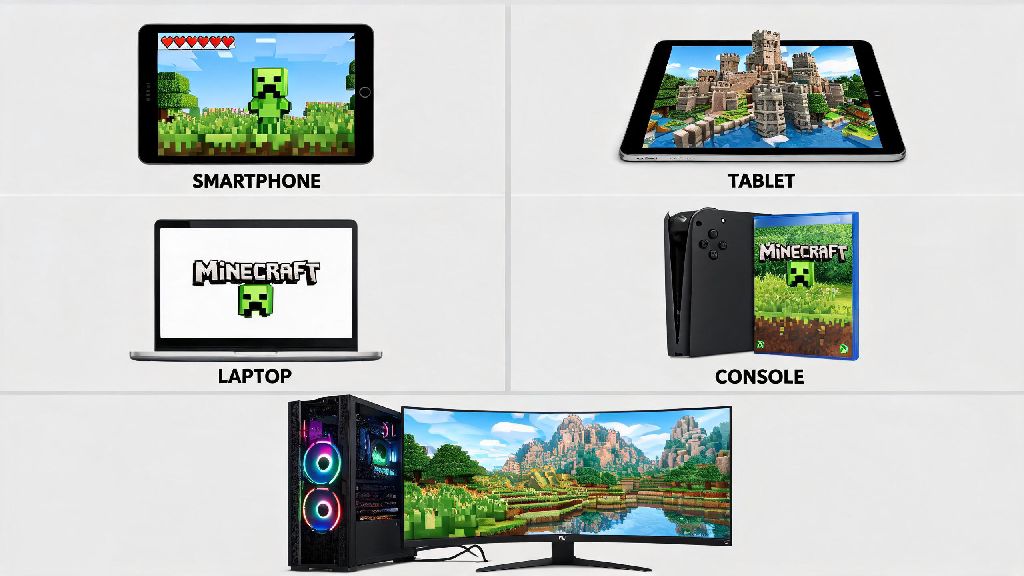
If you’ve ever found yourself staring at a friend’s Minecraft build, or watching a speedrun clip, and wondered what can you play Minecraft on to get that same smooth experience, you’re not alone. Minecraft’s been around for over a decade, and it’s expanded to run on nearly every piece of gaming hardware you can name, but not every platform offers the same features, performance, or content. I’ve tested Minecraft on 12 different devices over the past 7 years, from old handhelds to top-tier gaming rigs, so I can break down exactly what to expect from each option, no fancy tech jargon required. You don’t have to drop a thousand dollars to enjoy the game, but picking the right platform for how you want to play will save you a lot of frustration down the line.
What Can You Play Minecraft On? Core Platform Categories Breakdown
Before we dive into individual devices, it helps to know the four core platform groups Minecraft supports, and what tradeoffs each comes with. First, let’s cover the non-negotiable factors you should weigh before picking a device, since what works for a creative builder won’t work for a competitive survival player:
Best Budget and Accessible Minecraft Platforms
If you don’t want to spend a lot of money, or you want to be able to play on the go without carrying a heavy laptop, there are plenty of affordable options that run Minecraft perfectly well for casual play. Mobile phones and tablets are the most accessible option by far: the Minecraft Bedrock app costs less than $10, and it runs on nearly all modern Android and iOS devices released in the past 5 years. You can use touch controls, or pair a Bluetooth controller if you don’t like tapping the screen. The only downside is that render distance is capped on most mobile devices, so you won’t be able to see as far across the world as you would on a PC or high-end console. You also can’t install full mods, though you can add simple Bedrock add-ons if you want to tweak the gameplay. Nintendo Switch is another great budget pick, especially if you already own the console for other games. It supports both handheld and docked play, so you can play on your TV when you’re at home, or take it with you when you travel. The Switch version runs Bedrock Edition, so you can cross-play with friends on other consoles and mobile, and it has full access to all Minecraft marketplace content. The only drawback is that performance drops a bit when you’re playing in handheld mode with a lot of entities on screen, like if you’re near a large farm or a crowded multiplayer server. Last-generation consoles (PS4, Xbox One S) are also solid options if you can find a used unit for under $150. They run Bedrock Edition smoothly, support up to 60fps when docked, and have full cross-play support. You won’t get ray tracing or ultra-high render distances, but for casual survival or building with friends, they work perfectly well. I still keep an old Xbox One S in my guest room for when friends come over and want to hop on a shared server without bringing their own devices.
High-Performance Platforms for Serious Minecraft Players
If you spend 10+ hours a week playing Minecraft, or you’re into large-scale building, modded play, or competitive speedrunning, you’ll want a platform that can handle more demanding settings without lag. Windows, Mac, or Linux gaming PCs are the most powerful option by far, and the only devices that support Minecraft Java Edition. With a mid-range gaming PC (around $800 to $1200), you can run Java Edition with render distances over 32 chunks, full modpacks with hundreds of mods, and even ray tracing shaders that make the game look photorealistic. You also have full control over custom servers, maps, and content, so you’ll never run out of new ways to play. If you don’t want to build your own PC, pre-built gaming laptops work just as well, and you can take them with you to play with friends in person. PlayStation 5 and Xbox Series X are the best console options for high-performance play. Both run Bedrock Edition at up to 4K 60fps, support official ray tracing packs, and have far higher render distance limits than last-generation consoles. They’re also a lot cheaper than a full gaming PC, usually costing around $500 for a new unit. The only downside is that you still can’t run Java Edition or full mods, so you’re limited to Bedrock add-ons and marketplace content. If you only play vanilla Minecraft or cross-play with friends on consoles, these are a perfect middle ground between performance and cost. Xbox Series S is a cheaper alternative if you don’t need 4K resolution. It runs Minecraft at 1080p 60fps, supports ray tracing, and costs less than $300, making it a great pick if you play on a 1080p TV or monitor. I’ve recommended this to a lot of younger players who don’t have the budget for a full PC, and they’ve all been happy with the performance for regular survival and creative play.
Less Common Platforms You Might Not Know Support Minecraft
You don’t need a dedicated gaming device to play Minecraft, and there are a handful of less common platforms that support the game if you already own the hardware and don’t want to buy something new. Chromebooks have supported the official Bedrock Edition app since 2020, as long as they run Chrome OS 83 or later and have access to the Google Play Store. Most modern mid-range Chromebooks run Minecraft smoothly at 30 to 60fps, which is more than enough for casual play. It’s a great option if you use a Chromebook for school or work and don’t want to carry a separate gaming device with you. Raspberry Pi supports a special, optimized version of Minecraft Java Edition designed for low-power hardware. It’s not going to run shaders or high render distances, but it’s a fun option if you like tinkering with single-board computers, or you want to set up a small dedicated Minecraft server for you and your friends. Just note that you’ll need a Raspberry Pi 4 or newer to get playable frame rates. I set up a small survival server on a Raspberry Pi for my roommates last year, and it ran flawlessly for 4 players for months. Amazon Fire TV and Fire Tablets also support the Bedrock Edition app, so you can play Minecraft on your TV through your Fire stick if you pair a Bluetooth controller. The performance is similar to mobile devices, but it’s a fun, low-effort way to play on the big screen if you don’t own a console. There are even a few old handheld devices that support legacy versions of Minecraft, but those don’t get updates anymore and can’t join modern multiplayer servers, so they’re only good for single-player nostalgia play.
At the end of the day, what can you play Minecraft on depends entirely on your budget, how you like to play, and what features matter most to you. Casual players who just want to build small bases and play with friends on the go will be perfectly happy with the mobile app or a Nintendo Switch, while serious builders and mod fans will get the most out of a gaming PC. You don’t have to spend a fortune to have fun with the game, and there’s a platform out there that fits exactly what you’re looking for. The best way to pick is to test the game on a device you already own first, then upgrade later if you find you want more features or better performance.