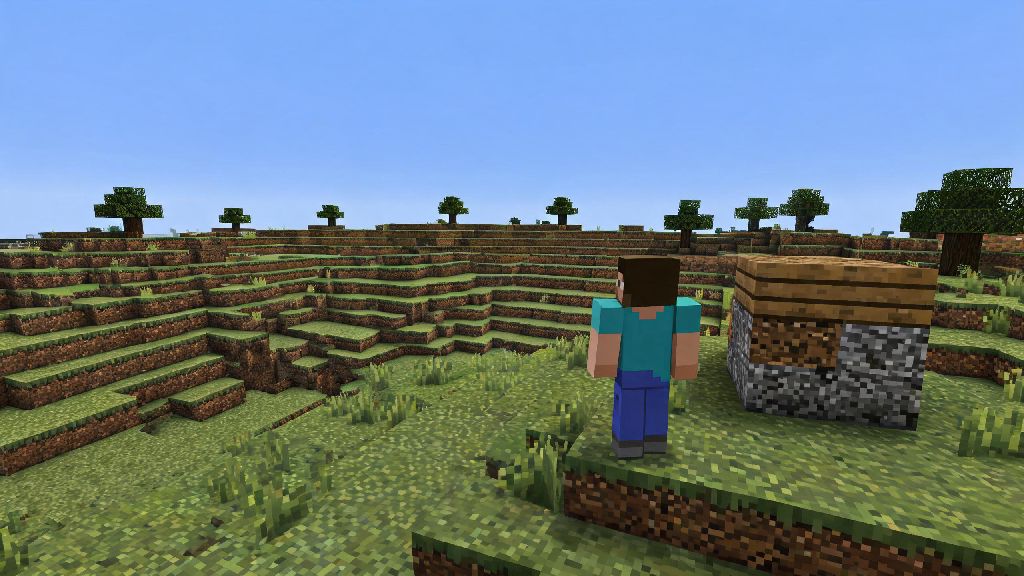
If you’ve ever scrolled through old Minecraft gameplay clips and wondered what it was like to play the game before biomes, hunger bars, or even the Nether existed, you’re not alone. Tons of players seek out the earliest builds of the game to experience that raw, nostalgic charm that made Minecraft a global phenomenon in the first place. Learning how to play Alpha Minecraft is simpler than you might think, even if you’ve only ever played the latest full release of the game. You don’t need fancy modding skills or expensive third-party tools to jump in, and we’re breaking down everything you need to know to start your first Alpha world today.
How to Play Alpha Minecraft: Official Launcher Installation Steps
The safest and easiest way to access Alpha builds is through the official Minecraft Java Edition launcher, no sketchy third-party downloads required. First, open your launcher and navigate to the “Installations” tab at the top of the screen. Check the box that says “Allow historical versions” in the top right corner, then click “New installation” to create a custom profile. Always use the official Minecraft launcher to access Alpha builds to avoid malware, account theft, or corrupted game files that often come from unvetted third-party sites.
From the version dropdown menu, scroll until you see the list of Alpha builds. Most players choose Alpha 1.2.6 for their first playthrough, as it’s the most stable and feature-complete Alpha release before the game moved to Beta testing. Name your profile, choose a save folder if you want to keep your Alpha worlds separate from your modern saves, then click “Create” to finish setup. Once you’ve got your installation set up, you’re ready to jump into how to play Alpha Minecraft without any extra hassle. Just select your new Alpha profile from the dropdown on the launcher’s home screen and hit play to load in.
Key Gameplay Differences You Need to Know Before Loading Your First World
Even if you have 10+ years of experience playing modern Minecraft, Alpha will feel like a completely different game if you go in blind. The most obvious difference is the lack of quality-of-life features you’re probably used to. There’s no hunger bar, so you only need to eat food to regenerate health, not to avoid starving to death. There is no Nether or End dimension, so all gameplay takes place in the Overworld, and there’s no way to fight the Ender Dragon or Wither. There is no weather system in most Alpha builds, so you don’t have to worry about rain putting out your campfires or snow piling up on your builds.
Combat is also far simpler. There are no critical hits, shields, or sweep attacks, so fights are just a matter of clicking as fast as you can until your enemy dies. Creepers have a much shorter explosion fuse in most Alpha builds, so you don’t have as much time to run away when you hear that iconic hissing sound. You also can’t hold shift to sneak off edges, so you’ll want to be extra careful when building high up or exploring cliff sides. There’s no recipe book either, so you’ll need to memorize the limited list of Alpha crafting recipes if you want to make tools, weapons, and building blocks.
Essential Tips for a Smooth Alpha Minecraft Playthrough
Even if you’re a pro at modern Minecraft, Alpha will throw you for a loop if you go in blind. We’ve put together a few quick tips to help you avoid frustrating mistakes and enjoy your playthrough:
If you’re playing on a public server, make sure to read the community rules first. Many Alpha servers have limited anti-grief tools, so don’t leave your chests unprotected if you don’t want your hard-earned loot stolen. You also won’t have access to modern commands like /tp unless the server owner enables them, so be prepared to walk or sail everywhere you need to go. These small adjustments make a huge difference in how to play Alpha Minecraft without running into avoidable headaches.
Common Alpha Minecraft Issues and Simple Fixes
Even with the official launcher, you might run into a few quirks when playing Alpha builds, since they were coded for much older operating systems. The most common issue is screen flickering or low frame rate, even on high-end PCs. You can fix most performance issues by turning off smooth lighting and lowering your render distance to 8 chunks or less, since Alpha doesn’t support modern graphics optimization features. Another common problem is world corruption if you close the game mid-save. Always wait for the save confirmation screen to pop up before closing the launcher, and make back up copies of your favorite worlds every few hours if you’re building something big.
If you can’t connect to a friend’s Alpha server, double check that you’re both running the exact same build number. Even a small version mismatch will prevent you from joining, since Alpha builds don’t have automatic version sync like modern Minecraft. Also, note that skins don’t work on most Alpha builds, so don’t be surprised if your character defaults to the original Steve or Alex skin when you load in. You can find community-made skin mods for Alpha if you really want to customize your character, but make sure you only download them from trusted community sites to avoid malware.
Playing Alpha Minecraft is one of the best ways to connect with the game’s roots, whether you’re chasing nostalgia or just curious about what Minecraft was like when it first blew up. You don’t need any special skills to get started, just a valid Java Edition account and a few minutes to set up your installation in the official launcher. Take the time to adjust to the simpler mechanics, don’t get frustrated when you die to a surprise creeper explosion, and you’ll have a ton of fun exploring the raw, unpolished charm of early Minecraft. Now that you know how to play Alpha Minecraft, there’s no better time to load up your first world and see what all the early hype was about.