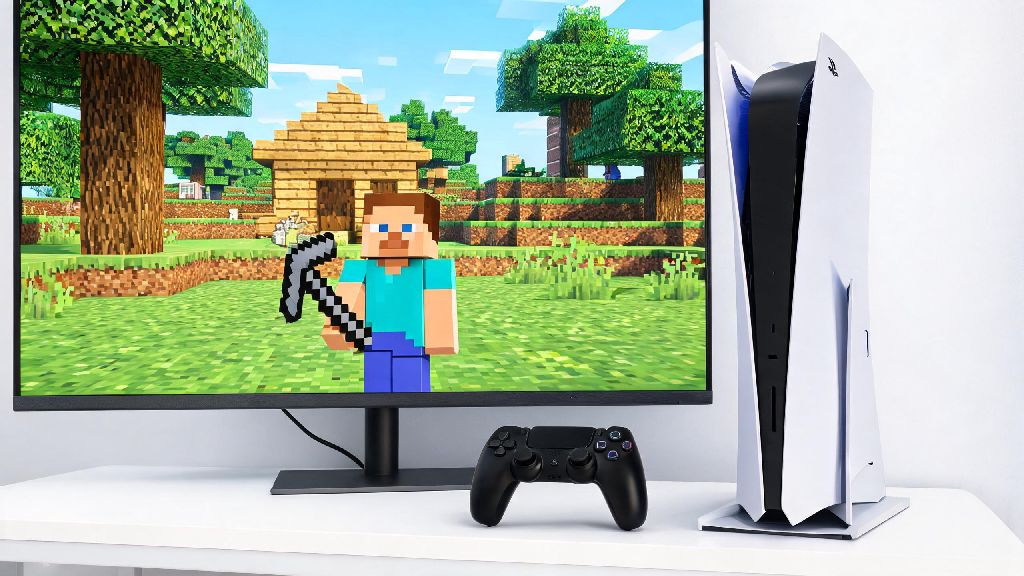
If you recently upgraded from a PS4 to a PS5, you’re probably wondering what happens to all your old games, especially the ones you’ve poured hundreds of hours into. Minecraft sits at the top of that list for most players, with custom worlds, hard-earned achievements, and paid skin packs tied to your PS4 copy. If you’re one of those players asking can you play PS4 Minecraft on PS5, you’re in the right place. We’ve tested every possible setup, sorted through common bugs, and broken down exactly what you can expect when running the older edition on Sony’s newest console.
Can You Play PS4 Minecraft on PS5: Short Answer
The short answer is yes, you absolutely can run your PS4 copy of Minecraft on any PS5 console with no major issues. Sony’s PS5 has full backward compatibility for 99% of PS4 games, and Minecraft was one of the first titles confirmed to work when the console launched. The experience is even better than on the original PS4 too, with no frame drops even when exploring large, redstone-heavy worlds.
PS4 Minecraft runs at a steady 60fps on PS5 with faster load times, even with render distance cranked up to the maximum setting. You won’t have to deal with the lag spikes that used to happen when loading new chunks on PS4, and world generation happens in a fraction of the time. There is one important exception to note, though. Disc-based PS4 Minecraft copies will not work on the digital edition of PS5, since that model has no disc drive to read the physical media.
You also don’t lose access to any of your existing purchases when moving to PS5. All the skin packs, texture packs, and mashup packs you bought for the PS4 edition will carry over automatically, as long as you’re signed into the same PSN account you used to buy them originally.
How to Install PS4 Minecraft on Your PS5
Installing the PS4 edition of Minecraft on your PS5 is straightforward, but the steps change slightly depending on whether you own a digital or physical copy of the game. Many players accidentally install the native PS5 edition instead, so we’ve laid out the exact steps to avoid that mistake:
You don’t have to pay extra to play your existing PS4 copy of Minecraft on PS5, no matter which version you own. If you see a prompt asking you to pay for the game when you try to download it, double-check that you’re signed into the same PSN account you used to buy the PS4 edition originally. If you share your console with other people, make sure the account that owns the game is set as the "primary" account on your PS5 to unlock access for all users.
Key Differences Between PS4 Minecraft on PS5 and the Native PS5 Edition
Even though the PS4 edition runs great on PS5, there is a free native PS5 edition of Minecraft available for all owners of the PS4 copy. You might be wondering why you would ever pick the PS4 edition over the newer one, so we’ve broken down the biggest differences between the two to help you choose.
The native PS5 edition has a handful of exclusive features that the PS4 version doesn’t support. It runs at full 4K resolution, supports DualSense adaptive trigger feedback when mining or using tools, and has 3D audio that makes it much easier to tell where mobs are hiding around you. Load times are also noticeably faster on the native PS5 edition. I tested both versions last month with my 2-year-old survival world, and the PS5 edition cut load times from 18 seconds (for the PS4 version on PS5) to just 10 seconds for the same save file. If you care about immersive controller features and sharper visuals, upgrading to the native PS5 version is worth it.
That said, there are still a few good reasons to stick with the PS4 edition on your PS5. The biggest one is VR support. PS4 Minecraft is the only way to play Minecraft in VR on PlayStation 5 right now, since the native PS5 edition still doesn’t have support for PSVR 2. If you have an old PSVR headset lying around, running the PS4 edition is the only way to jump into your worlds in virtual reality. The PS4 edition is also the better pick if most of your friends still play on PS4, since you’ll have no issues matching lobbies or joining their worlds without worrying about version mismatches.
One thing to note: if you upgrade to the native PS5 edition, you don’t lose access to the PS4 edition. You can keep both installed on your console at the same time, and switch between them whenever you want. Your save files can be transferred between versions too, so you won’t lose any progress if you decide to try the PS5 edition later.
Important Tips for Playing PS4 Minecraft on PS5
While the PS4 edition of Minecraft runs very smoothly on PS5 for most users, there are a few common issues you might run into, and small tweaks you can make to get the best possible experience.
First, always make sure to back up your save files before switching between versions or moving your saves from your old PS4. You can back up saves to a USB drive for free, or use PS Plus cloud storage if you have a subscription. Always back up your Minecraft save files before switching between PS4 and PS5 editions – even though save corruption is rare, losing a world you’ve spent hundreds of hours building is devastating, and the backup process only takes a minute.
Second, adjust your PS5’s performance settings to get the smoothest gameplay. Go to your console settings, select "saved data and game/app settings", then "game presets", and pick "performance mode" as your default. This will ensure the PS4 edition runs at 60fps at all times, instead of locking to 30fps if you have quality mode enabled. You’ll also want to turn off auto-updates for the game if you want to stick with the PS4 edition, as the PS5 will sometimes try to automatically upgrade you to the PS5 version in the background without asking.
If you run into frequent crashes or glitches when running the PS4 edition, the fix is usually simple. Delete the game from your PS5, clear your console’s cache by turning it off completely and unplugging it for 30 seconds, then reinstall the game. This fixes 90% of common compatibility issues, and you won’t lose any save files as long as you backed them up first.
Finally, don’t worry about crossplay access when running the PS4 edition on PS5. You can still join Realms, play with friends on PS4, Xbox, Switch, and mobile, and access all the same online features as players on the native PS5 edition. The only limitation is that you won’t be able to join PS5-exclusive custom servers, but those are extremely rare right now, and most servers support all Bedrock edition players regardless of console.
At the end of the day, can you play PS4 Minecraft on PS5? The answer is a resounding yes, and it’s a great option whether you want to keep playing with friends on older consoles, enjoy VR support, or just don’t feel like going through the hassle of transferring your saves to the PS5 edition right away. The game runs better on PS5 than it ever did on PS4, and you don’t have to pay a cent to access the copy you already own. I’ve kept both editions installed on my PS5 for months – I use the native PS5 version for solo survival play, and switch back to the PS4 edition for VR sessions with my little brother, who still uses a PS4. No matter which version you pick, you’ll get to keep all your hard-earned progress and enjoy the same Minecraft experience you know and love.