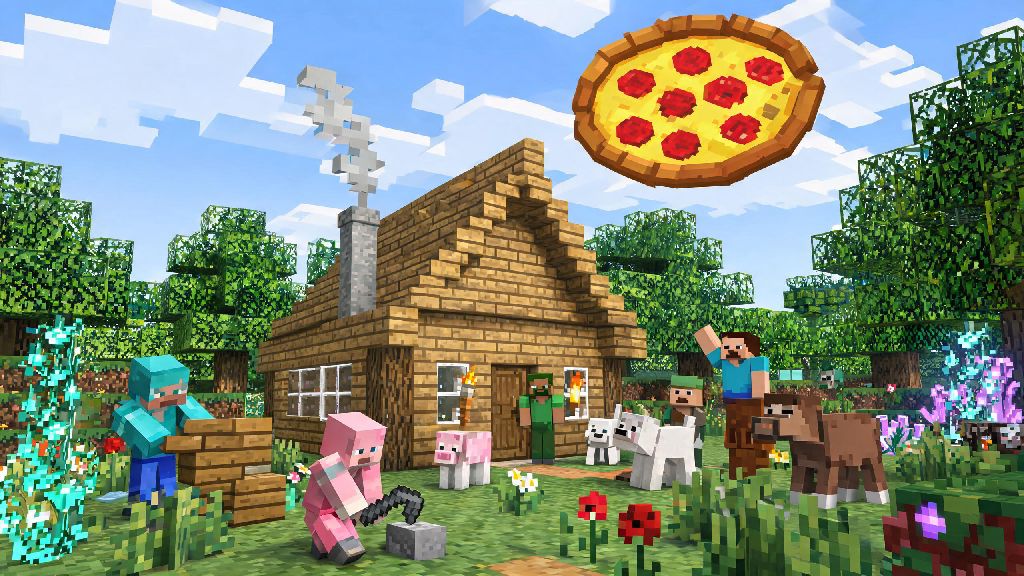
If you’ve spent hours building a cozy cabin or defeating the Ender Dragon all on your own, you’ve probably wondered how to play with other people on Minecraft to make the experience even better. I still remember my first multiplayer session back in 2012, where my friends and I spent three straight hours building a giant floating pizza base and griefing each other’s tiny dirt huts. It’s not just about building or surviving together, either—multiplayer opens up minigames, custom maps, and community builds you’d never get to experience solo. Before you jump in though, there are a few key things to know to avoid common headaches like connection issues or toxic players.
How to Play with Other People on Minecraft: Popular Multiplayer Modes to Try
If you’re new to multiplayer, the first step is picking the mode that fits your group size and location. LAN mode is the simplest option if you’re all in the same house or apartment. It doesn’t require any extra subscriptions or setup beyond being on the same Wi-Fi network, and it’s completely free. The only downside is it won’t work for friends who live in different areas. Minecraft Realms is Mojang’s official hosted service, designed for small groups of up to 10 players. You pay a small monthly fee, but you don’t have to deal with port forwarding or server maintenance, and the Realm stays online even when the host isn’t playing. It’s ideal for long-distance friend groups who want a low-effort private space to play. Public servers are the best pick if you want to meet new players, with thousands of free options ranging from casual survival worlds to competitive minigame servers like Bed Wars or Skyblock. They’re completely free to join, but you’ll have to follow server rules and may run into unmoderated, toxic spaces if you don’t pick carefully. Self-hosted servers are the most customizable option, letting you add mods, set custom rules, and host as many players as your internet bandwidth can handle. They do require some basic technical knowledge to set up, though, so they’re not the best fit for total beginners. If you’re new to learning how to play with other people on Minecraft, starting with LAN or Realms is the easiest way to avoid technical issues.
Simple Steps to Set Up a Safe Private Multiplayer Session
Private sessions are the best choice if you’re only playing with people you know, because you have full control over who joins and what rules are enforced. For LAN sessions, just open your existing single-player world, hit the escape key, and select “Open to LAN”. You can choose to enable or disable cheats, pick the default game mode for new players, and then a 5-digit port code will pop up on your screen. Other players on the same Wi-Fi can open their multiplayer menu, and your world will show up automatically for them to join. For Realms, you just need to purchase a subscription through the Minecraft launcher, create a new Realm, and send invites to your friends via their Minecraft gamertag. They’ll get a notification the next time they log in, and can join any time even if you’re not online. Invite-only access is non-negotiable for private sessions, even if you think only your friends will find the server. Random players can sometimes stumble on unprotected private worlds, and it only takes one griefer to destroy weeks of hard work. Before you let anyone join, run through these quick checks to avoid issues:
What to Know Before Joining Public Minecraft Servers
If you want to meet new players while you learn how to play with other people on Minecraft, public servers are the best place to start. But they do come with some important safety and etiquette rules you should follow to have a good experience. First, always read the server’s full rule page before you start interacting with other players or building anything. I once got temporarily banned from a popular survival server for accidentally hitting another player’s pet horse, because they had a strict rule against harming other players’ tamed mobs without permission. Most servers post their rules right on the join screen, and breaking them even by accident can lead to kicks or permanent bans. Never share personal information in public server chat, including your real name, age, location, school, or social media handles. Even if someone seems really friendly and shares common interests with you, it’s not worth the risk of sharing identifying details with strangers. Look for servers with active moderation teams if you can—you can usually tell by checking if they have a dedicated Discord server with online staff, or if moderators are active in the in-game chat answering questions and enforcing rules. These servers are way less likely to have hackers, spammers, or toxic players ruining the experience. You can also filter public servers by game mode to find exactly what you’re looking for, whether that’s a casual creative building server, a hardcore survival world, or a server dedicated to roleplay or custom minigames.
Tips to Make Your Multiplayer Minecraft Sessions More Fun
Once you’ve got your session set up and all your players are joined, there are tons of small tweaks you can make to keep everyone engaged and having a good time. First, pick a shared group goal to work towards, like building a fully functional medieval town, defeating the Wither, or completing a custom adventure map. It gives everyone a clear purpose instead of letting people wander off and get bored doing their own thing alone. Assign roles based on everyone’s strengths to make the most of your group’s skills. If one of your friends loves designing and building, let them be the lead architect for your base. If someone else is great at exploring and mining, put them in charge of gathering resources. If you have a friend who loves fighting mobs, make them the group’s defender for cave exploration trips. You don’t have to stick to roles rigidly, but it helps avoid situations where three people are all mining the same resource and no one is building the base you all agreed on. Don’t be afraid to add silly little challenges to mix things up too, like a “no diamond tools for the first 24 hours” rule, a building contest with silly prizes, or boat races across the nearest ocean. Some of my favorite multiplayer memories are from completely unplanned, stupid moments, like when my friend accidentally blew up our entire storage room with a creeper, and we all had to spend the next three hours rebuilding. If you’re playing with long-distance friends, use a voice chat app to talk while you play instead of relying on in-game text chat. It makes the experience way more immersive, and you get to laugh together in real time when someone falls into lava with a full inventory of diamonds.
At the end of the day, figuring out how to play with other people on Minecraft is way less complicated than a lot of new players think, and it makes the game feel completely new even if you’ve been playing for years. Whether you’re hosting a small LAN session with your roommates, joining a public minigame server with hundreds of other players, or running a private Realm for your long-distance friends, the core of the fun is just getting to create and explore with other people who love the game as much as you do. Don’t stress too much about getting everything perfect the first time—even if you run into connection issues, or someone accidentally blows up your base, those messy moments are the ones you’ll remember later. Just pick the option that works best for your group, set clear rules, and dive in.