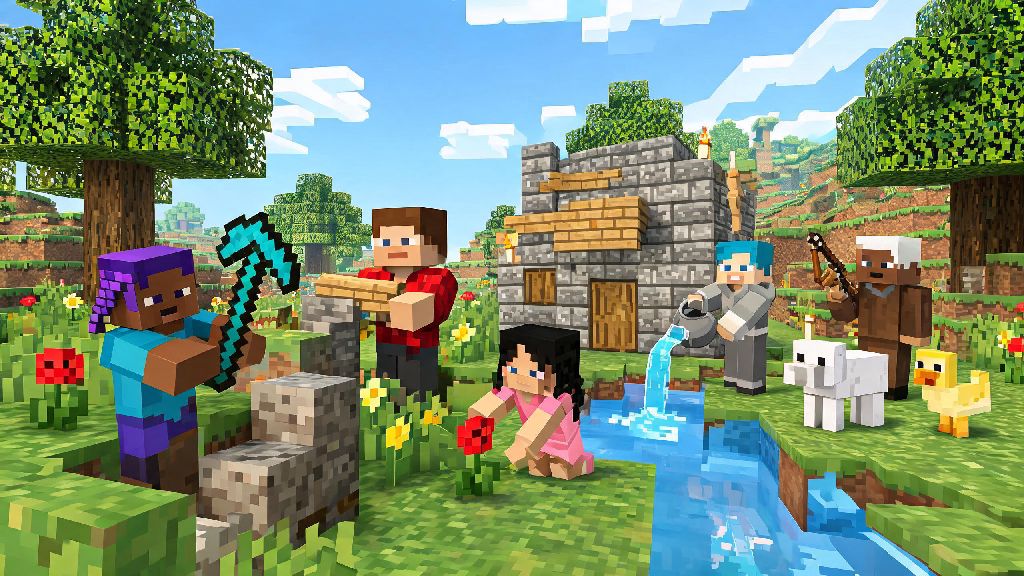
If you’ve ever wanted to dive into the blocky, creative world of Minecraft without dropping cash on the full game right away, you’re not alone. Millions of new players search for how to play Minecraft free on PC every month, and there are actually legitimate, safe ways to do it without downloading sketchy files or risking a permanent ban on your Microsoft account. I’ve tested every popular method over the last three years, and I’ve cut out all the scams and low-quality options to leave only the ones that actually work for casual play, testing the game before buying, or playing with friends who haven’t purchased the full version yet.
Legitimate Methods to Play Minecraft Free on PC
First, let’s get rid of the myth that all free Minecraft options are illegal or full of malware. If you’re wondering how to play Minecraft free on PC without breaking any rules, these three official or fully authorized methods work right now with zero risk to your device or accounts. None of these require you to enter credit card information unless you choose to upgrade later, and all work on standard Windows and Mac PCs without special hardware.
None of these methods violate Minecraft’s end user license agreement, so you don’t have to worry about losing access to any existing Microsoft or Minecraft accounts you own. They’re also 100% free to use for as long as you want, as long as you’re okay with the built-in limitations of each option.
Scams to Avoid When Looking for Free Minecraft PC Access
I can’t tell you how many players I’ve seen lose their Microsoft accounts or get malware on their PC because they fell for a fake “full free Minecraft download” link. The worst scams usually promise you the full, unrestricted Java or Bedrock edition for no cost, and they almost always come with hidden catches that will cause you headaches down the line.
One common scam is sites that ask you to enter your Microsoft account login information to “activate” a free copy of the game. These sites are phishing pages that steal your credentials, and once they have access, they can lock you out of your account permanently or sell your account information on the dark web. Never enter your Microsoft or Minecraft account details on any site that isn’t the official Minecraft or Microsoft domain, no matter how legitimate the offer looks.
Another common scam is “cracked” Minecraft launchers that claim to let you play the full game for free. These launchers almost always have malware embedded, including keyloggers, ransomware, and adware that will hijack your browser or steal personal information from your PC. Even if the launcher works at first, you will almost certainly get banned from all official and most public servers if you use a cracked version, since server owners can detect unauthorized accounts instantly.
You should also avoid any offers that ask you to complete surveys, download third-party apps, or share personal information to get a free Minecraft code. These are almost always data harvesting schemes that won’t actually give you a working game code, and you’ll end up with dozens of spam emails or texts as a result.
Tips to Improve Your Free Minecraft PC Play Experience
Even with the limitations of free Minecraft versions, there are plenty of ways to make your play time more fun and engaging, whether you’re playing the demo or the classic browser version. I’ve used all these tricks myself when testing free options, and they make a huge difference in how much you can get out of the game before you decide to buy the full version.
If you’re playing the official demo, focus on smaller, contained projects instead of starting a massive build that you won’t be able to finish before the 100-day cap hits. Try building a small fortified base, testing out different redstone contraptions, or beating the Ender Dragon before your time runs out. You can even extend your demo play time by creating multiple new worlds, since the 100-day limit applies per world, not per account.
If you’re playing the classic browser version, look for community build challenges to join. There are hundreds of active communities dedicated to Minecraft Classic builds, and you can find challenges ranging from building a small medieval village to recreating entire movie sets with the limited 32-block palette. Playing with other people makes the limited version feel much more dynamic, and you can learn a lot of clever building tricks from more experienced players.
If you’re using free server access, take the time to read the server rules carefully before you start playing. Most free server tiers have specific limits on where you can build and what features you can use, and violating those rules can get you banned from the server entirely. Many servers also let you unlock extra features for free by participating in community events, voting for the server on public lists, or referring friends to join, so you don’t have to pay to get access to more content if you’re willing to contribute a little time.
These small tweaks make your free Minecraft play experience feel much more full-featured, even with the built-in limitations that come with any free PC version of the game. You don’t have to settle for boring, limited play just because you’re not paying for the full edition right now.
When It Makes Sense to Upgrade to the Full Minecraft PC Version
While free Minecraft options are great for casual play or testing the game out, there are some cases where upgrading to the full version is worth the cost, especially if you play regularly. The full Java and Bedrock editions have far more features than any free version, and you get access to all official updates, the full multiplayer server library, and mod support if you get the Java edition.
You should consider upgrading if you find yourself playing multiple times a week and hitting the limits of the free version consistently. For example, if you’re tired of the 100-day cap on the demo, or you want to join private servers with your friends who own the full game, the one-time purchase will pay for itself very quickly in extra play time. You also get access to custom skins, texture packs, and community mods that let you completely overhaul the game to fit your preferences.
Many players don’t realize that buying the PC edition of Minecraft gives you access to both Java and Bedrock versions with a single purchase, so you can switch between the two depending on whether you want to play with modded content or join cross-platform servers with friends on console or mobile. That makes the purchase even more valuable for people who play with groups across different devices.
If you’re on a tight budget, keep an eye out for official sales on the Minecraft website or authorized retailers like Steam. The game goes on sale for 50% off multiple times a year, usually around major holidays, so you can pick it up for a very low price if you’re willing to wait a few months. You don’t have to rush to buy it right away, but if you’re getting dozens of hours of fun out of the free version, the full edition is a very worthwhile investment.
At the end of the day, you don’t have to spend money to have fun with one of the most popular games of all time. Whether you’re testing the waters before a purchase, looking for a casual way to kill time, or playing with friends who don’t own the full game, knowing how to play Minecraft free on PC safely opens up a ton of fun opportunities without any unnecessary risk. Stick to the legitimate methods we covered, avoid the common scams, and you’ll be building, exploring, and fighting mobs in no time without spending a dime.