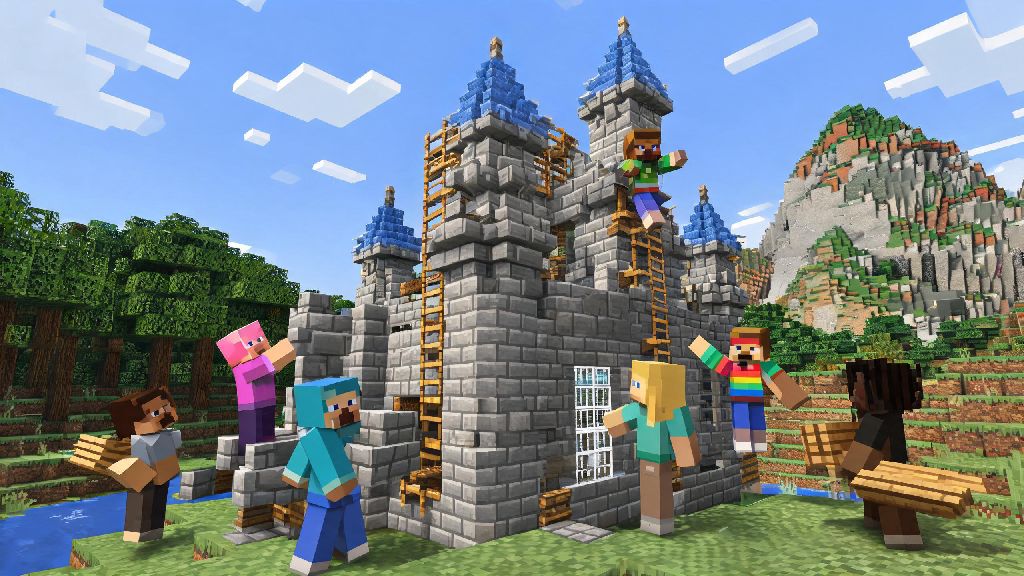
If you’ve spent hours mining diamonds alone in your single-player survival world, you’ve probably wondered how do you play online Minecraft with other people at some point. Multiplayer turns the blocky sandbox you know into a shared space where you can build castles with your best friends, compete in minigames with strangers across the world, or join massive roleplay servers with custom storylines. I’ve been playing online Minecraft for over 8 years, so I’ve worked through every common hiccup from login errors to accidentally joining a toxic server, and I’m breaking down everything you need to know to get started without the stress.
How Do You Play Online Minecraft: Core Setup Steps for Every Platform
The setup process is mostly the same no matter if you play on PC, console, or mobile, but there are a few small platform-specific rules you need to know first. Confirm you have a valid, updated Minecraft copy before you do anything else: cracked or pirated versions won’t work on 99% of public and private servers, and outdated game versions will lead to login errors when you try to connect. You’ll also want to double check if you’re playing Java Edition (PC only) or Bedrock Edition (console, mobile, and Windows PC) because crossplay only works between players on the same edition, unless you join a specialized crossplay server.
Next, make sure you have the required online subscriptions for your device if you play on console. PlayStation, Xbox, and Switch users all need an active platform online membership (like PS Plus or Nintendo Switch Online) to access multiplayer features, which is a common mistake that trips up new players. If you’re playing on PC or mobile, you don’t need any extra subscriptions beyond your Minecraft account.
Last, test your internet connection before you join a server. Wired ethernet connections are always more stable than wifi, especially for fast-paced minigames where lag can make you lose a match or miss a critical jump. If you only have access to wifi, try to stay close to your router to reduce dropouts mid-game.
Different Ways to Play Online Minecraft, With Pros and Cons
You don’t have to join a massive public server to enjoy multiplayer Minecraft. There are options for every play style and technical skill level, from zero-setup private spaces to fully customizable modded servers. Here are the most common options to pick from:
If you’re brand new to figuring out how do you play online Minecraft, I always recommend starting with a Realm or a popular public minigame server first, so you don’t have to mess with technical setup. My friend group used a Realm for 3 years when we were all in college across different states, and it never crashed once. We switched to a self-hosted server last year because we wanted to add a custom magic modpack that Realms doesn’t support, and it’s been a fun side project to tweak together.
Important Safety and Etiquette Rules for Online Minecraft Play
Multiplayer is almost always more fun than single player, but there are a few ground rules you should follow to keep your experience safe and positive. Never share personal information like your full name, address, school, or phone number with strangers on public servers, even if you think you’re friends with them. Most servers let you use a username that’s separate from your real name, so take advantage of that privacy feature.
Always read the server rules before you start playing too. Most servers have a spawn area with posted rules, and you can get banned immediately for things like griefing, stealing, or spamming chat even if you didn’t mean to break a rule. One of the most common mistakes new players make is skipping the rules page, I’ve seen people get banned 10 minutes after joining just because they broke a block in a protected spawn area.
If someone is being toxic, harassing you, or breaking server rules, use the in-game mute and report functions immediately. You don’t have to engage with people who are ruining your fun, and most active server moderators respond to reports within a few hours, especially on larger, well-run servers. If you’re a parent letting your kid play online, you can also turn on built-in chat filtering in Minecraft’s settings, and only let them join curated family-friendly servers that advertise strict moderation policies.
Fun Game Modes to Try Once You’re Set Up
Once you have your account and connection sorted, you can explore thousands of different game modes that don’t exist in single-player Minecraft. Survival Multiplayer, or SMP, is the most popular option for long-term play. It works exactly like single-player survival, but you can team up with other players to build shared bases, go on Nether runs together, or fight the Ender Dragon as a team. Many SMP servers also have custom economy systems or land protection plugins so no one can grief your builds.
Minigame servers are perfect for casual play when you only have 30 minutes or so to game. Servers like Hypixel and The Hive have dozens of short, fast-paced games like Bed Wars, Sky Wars, TNT Run, and Hide and Seek that take 5 to 15 minutes each. You can play with friends or join random matches with strangers, and most have leaderboards if you want to compete for top scores.
If you’re feeling creative, you can also join roleplay servers that have custom maps, lore, and rules. You can play as a medieval blacksmith, a space explorer, a small town mayor, or any other character you can think of, and interact with other players to advance the server’s storyline. Some of the biggest roleplay servers have hundreds of active players and weekly events that feel like playing a custom open-world game with friends.
Modded server fans also have tons of options, with servers running everything from skyblock modpacks to post-apocalyptic survival packs that add new biomes, mobs, quests, and crafting recipes that don’t exist in vanilla Minecraft. Just make sure you have the same modpack version installed as the server before you try to join, or you’ll get a login error.
At the end of the day, how do you play online Minecraft is entirely up to you, whether you want to build a tiny cottage with your best friend or join a server with thousands of players competing in weekly building contests. You don’t need any fancy equipment or technical skills to get started, just a valid copy of the game and a willingness to try new things. If you run into issues your first time, don’t get discouraged: even experienced players run into login glitches or join a server that’s not a good fit sometimes. Once you find the right group and game mode for you, online Minecraft can be a way to make friends and create memories that last for years.