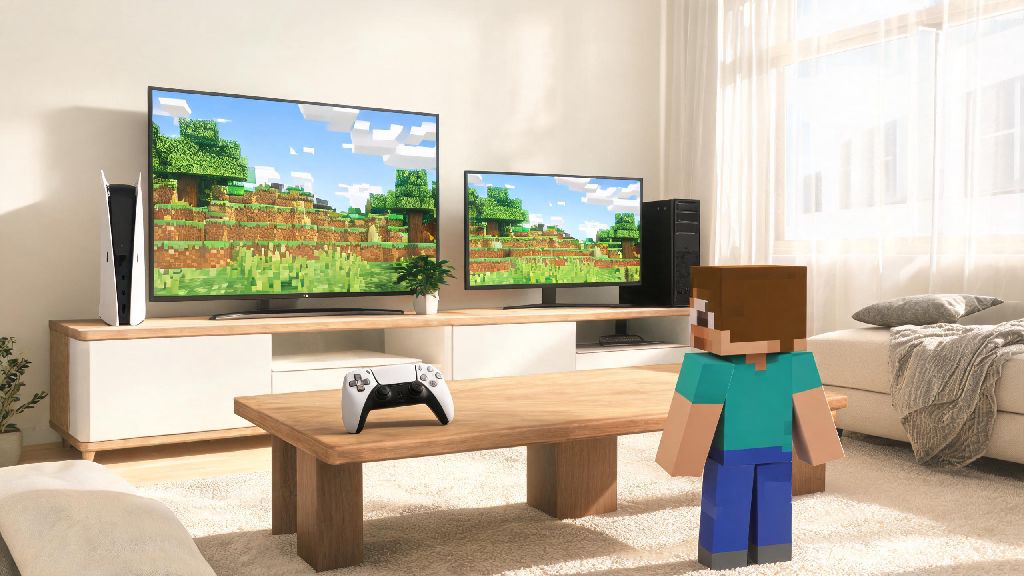
If you’ve ever sat on your couch with your PS5 controller, wanting to join a Minecraft world your friend is playing on their desktop, you’ve definitely asked: can PS5 Minecraft play with pc? The short answer is yes, but there are a few hoops you’ll need to jump through first, depending on which version of the game you own, what accounts you have linked, and what server you’re trying to join. I’ve messed up crossplay setups more times than I can count over the last few years, so I’m breaking down exactly what works, what doesn’t, and how to avoid the most frustrating mistakes that leave you stuck on the loading screen.
Can PS5 Minecraft Play With PC? Version and Account Requirements First
First, let’s clear up the biggest misconception: you can’t crossplay between PS5 Bedrock and PC Java Edition. The two versions are built on completely different codebases, and Mojang has no plans to make them compatible any time soon. Minecraft edition mismatch is the #1 reason crossplay fails, so you’ll want to confirm both players are on the right version before you do anything else.
All players joining the same crossplay session must be on Minecraft Bedrock Edition for the connection to work. PS5 only runs the Bedrock version of Minecraft by default, so that side is already handled as long as you downloaded the standard game from the PlayStation Store. PC players will need to own and launch the Bedrock Edition, which is included with most Minecraft purchases for Windows these days.
Next, account setup: every player, whether on PS5 or PC, needs to have an active, valid Microsoft account linked to their game profile. For PS5 users, you’ll link this the first time you launch Minecraft, or you can do it through the in-game settings menu if you skipped that step earlier. You’ll also need an active PlayStation Plus subscription if you’re playing on PS5, as Sony requires that for all online multiplayer access for paid titles, including Minecraft. PC Bedrock players don’t need any extra subscription beyond owning the game, unless you’re joining a paid Realms server.
Step-by-Step Setup to Play PS5 Minecraft With PC Friends
Once you’ve confirmed all version and account requirements are met, setting up a crossplay session only takes a few minutes. First, make sure both copies of Minecraft are updated to the latest available patch. Always make sure both players are on the same game version number, even small patch differences can block crossplay connections entirely.
Before you send your first invite, run through this quick pre-check list to avoid common snags:
To connect, either one of you can create a new world, enable multiplayer in the world settings, and send an invite to the other player’s Microsoft gamertag. You can also join a public Bedrock server together, or join a shared Bedrock Realm that hosts the world on Mojang’s servers for 24/7 access. I’ve found that hosting on PC usually gives more stable connections for larger groups, especially if you have more than 3 people playing at once, since most home internet plans have better upload speeds on desktop setups than on console Wi-Fi. Once you’ve gone through these pre-checks, you’re ready to start playing PS5 Minecraft with PC friends with almost no extra work.
Common Crossplay Issues and How to Fix Them Fast
Even if you follow all the setup steps perfectly, you might run into a few small issues that stop you from connecting. Invites not showing up is the most common issue I run into with my own friend group. Most of the time, it’s because your Microsoft account privacy settings are set to block invites from people outside your friends list. Double check your Microsoft account privacy settings online to make sure you allow cross-platform invites and multiplayer access. If that doesn’t work, try adding each other as friends on your Microsoft accounts first, instead of sending invites directly through the game.
Another common issue is getting a “version mismatch” error even if you think both are on Bedrock. A lot of PC players own both Java and Bedrock, and accidentally launch Java instead of Bedrock when they sit down to play. If you’re on PC, double check that you’re launching the Bedrock edition from your launcher, not the Java one. If you’re still getting the error, check for updates on both devices, even if you have auto-update turned on. Sometimes console updates get stuck in the queue if you’ve had your PS5 in rest mode for a few days.
Connection lag is another headache for crossplay groups. If you’re noticing constant rubberbanding or disconnections, try moving your PS5 closer to your router, or switching to a wired ethernet connection instead of Wi-Fi. Hosting the world on the device with the fastest internet connection will also cut down on lag for everyone in the group. Most of these fixes take less than two minutes to run through, so you won’t waste half your game night troubleshooting when you want to play PS5 Minecraft with PC friends.
Limitations of PS5 and PC Minecraft Crossplay You Should Know
While crossplay works great for most casual play sessions, there are a few limitations you won’t be able to get around, no matter how you set up your game. First, you can’t use Java-specific mods or custom skins from Java Edition on crossplay worlds. All mods and custom content have to be compatible with Bedrock Edition, so if your PC friend loves playing with modded Java shaders or custom mob packs, those won’t work in a shared crossplay world.
Custom servers that only support Java Edition also won’t be accessible to PS5 players, so you’ll need to stick to public Bedrock servers, Realms, or private worlds you host yourselves. Another small limitation is that controller settings won’t carry over between devices, so if you’re switching between PS5 and PC occasionally, you’ll have to adjust your sensitivity and button mappings separately on each device.
You also won’t be able to transfer a Java world save to a Bedrock crossplay session without using a third-party conversion tool, and those tools often break redstone builds or custom content in the process, so it’s usually better to start a new world specifically for your crossplay group. I tried converting a 2-year-old Java survival world to Bedrock last year to play with my PS5 friends, and half our automated farms broke completely, so save yourself the frustration and start fresh if you can. Even with these small drawbacks, being able to play PS5 Minecraft with PC friends opens up way more opportunities for multiplayer fun than sticking to a single platform.
At the end of the day, the answer to can ps5 minecraft play with pc is a resounding yes, as long as you stick to Bedrock Edition, have your accounts linked properly, and work around the small limitations that come with cross-platform play. It’s never been easier to play with your friends no matter what device they prefer, and the small amount of setup time is more than worth it for all the fun you’ll have building, exploring, and surviving together. Next time you’re planning a Minecraft game night with friends across PC and PS5, just run through the quick pre-check list we covered earlier, and you’ll be in the same world in minutes, no stress required.