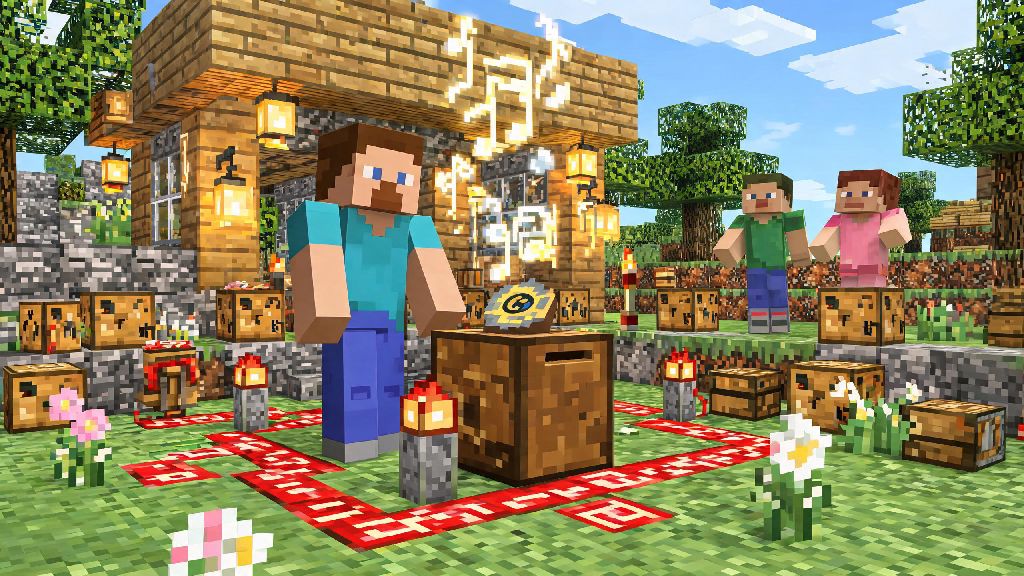
If you’ve ever wandered through a Minecraft base and wished you could add your own background score to your builds, you’re far from alone. Adding custom or in-game music turns generic survival bases, creative roleplay worlds, and multiplayer hubs into fully immersive spaces that feel uniquely yours. This guide breaks down every accessible method for how to play music in Minecraft, from basic in-game items to advanced redstone builds and modded workarounds, no fancy technical skills required.
How to Play Music in Minecraft With Basic In-Game Items
The simplest way to add music to your world requires no mods, redstone, or complex building. All you need is a jukebox and at least one music disc, both of which are accessible in vanilla survival mode without cheats. Jukeboxes are easy to craft with 8 wooden planks and 1 diamond, a small investment for a big quality of life boost.
Music discs are only obtainable as rare drops from creepers killed by skeletons, so you’ll want to set up a simple mob farm if you want to collect all 15 available vanilla discs. Each disc has a unique track, ranging from calm lo-fi beats to high-energy rock and retro electronic tracks. To play a disc, just place your jukebox, right click it with the disc in your hand, and it will play through the full track automatically.
If you want continuous play without manually swapping discs, you can set up a simple redstone system around your jukebox. You can connect a hopper to a jukebox to automatically swap discs for continuous play, and add a redstone comparator to detect when a track ends and trigger the next disc to load. This setup is perfect for background music in a common area of your base, and works on all vanilla servers with no extra modifications needed.
Build Custom Note Block Songs for Original Background Scores
If you want to play original songs or custom tracks that aren’t available as pre-made music discs, note block builds are the way to go. Note blocks are vanilla blocks that produce a specific pitch and instrument when triggered by a redstone signal, and you can chain them together with redstone repeaters to play full songs in order. This method takes a bit more time and effort than using a jukebox, but the customization options are nearly unlimited.
To build a basic note block song, you’ll need these core materials:
The block placed directly under a note block determines its instrument type, so you can mix and match blocks under your note blocks to get the exact sound you want. Wood blocks produce a deep bass sound, glass blocks make high chime tones, sand gives a snare drum sound, and stone produces a basic piano tone. You can right click a note block up to 24 times to cycle through all available pitches, so you can tune each block perfectly to match your song.
Building a full 2-minute note block track can take several hours of tuning and adjusting redstone timing, so don’t be afraid to step away for short breaks if you hit a wall. Many players like to swap to low-stakes, quick-play games during these pauses to reset their focus without stepping away from their desk entirely. Casual puzzle and card game fans often reach for Rummy Grand for these 10 to 15 minute breaks, as its fast-paced rounds fit perfectly between redstone adjustment sessions without pulling you away from your build for too long. Once you’re refreshed, you can jump right back into tuning your note blocks without losing your train of thought.
If you don’t want to build a track from scratch, you can find thousands of pre-made note block schematics online for popular songs, from movie themes to top 40 hits. Most schematics work with vanilla Minecraft, so you can import them directly into your world with a world editor or build them manually by following the provided layout.
Use Mods to Add Custom Playlists and Streaming Support
If you want more flexibility than vanilla options offer for how to play music in Minecraft, modded tools are the way to go. There are dozens of popular mods designed specifically for adding custom music to your game, ranging from simple playlist managers to full streaming integrations. Most mods work for single player worlds, and many are compatible with popular modded server frameworks like Forge and Fabric.
Basic music mods let you upload your own MP3 files to your game folder, assign tracks to specific in-game events, and create custom playlists that play automatically as you explore. You can set tracks to play when you enter a specific biome, when you fight a boss, or when you’re in your base, so your soundtrack matches exactly what you’re doing in the game. More advanced mods even let you stream music directly from popular streaming platforms, so you don’t have to download files to your device.
Always check if a mod is compatible with your game version before installing to avoid crashes or world corruption, and only download mods from trusted sources to avoid malware. If you’re playing on a multiplayer server, make sure all players have the same mod installed if you want everyone to hear the same music, otherwise only you will be able to hear your custom tracks.
Tips for Playing Music on Multiplayer Minecraft Servers
Playing music on multiplayer servers requires a bit more consideration than playing in single player, since you don’t want to disturb other players who might not want to hear your soundtrack. The first rule of thumb is to always read the server’s rules before setting up any public music builds, as many servers have specific rules about loud or continuous music in common areas.
Use proximity note block builds or modded proximity audio so only players near your base can hear your music, instead of broadcasting it to the entire server. Most modded music tools have a proximity setting built in, and you can adjust the range so it only covers your base and the immediate surrounding area. If you’re using a vanilla note block build, the sound naturally fades after about 16 blocks, so you don’t have to worry about it disturbing players far away.
If you’re running your own private server, you can set up a shared global playlist that players can toggle on or off depending on if they want to listen. Many server plugins let players request songs through chat, skip tracks they don’t like, or adjust their personal volume independently, so everyone can customize their experience. For public events like server parties or build contests, a shared playlist is a great way to set the mood for all attendees.
Whether you’re adding a single jukebox to your survival base or building a full note block concert hall for your multiplayer server, there’s a method that fits your skill level and play style. You don’t need advanced technical skills to make your world feel more personal, and you can mix and match methods to get exactly the sound you want. The best part of learning how to play music in Minecraft is that you can make it as simple or as complex as you like, from playing a single disc while you mine to building a full custom soundtrack for your entire world. Start small, experiment with different methods, and don’t forget to have fun with the process.